 Meter Max
What you need
- Your earnings summary for the day or week. In Uber, Bolt and most delivery apps, look for Earnings or Weekly statement.
- If you took cash, roughly how much.
Put in your takings
-
Open the takings form
On the Home screen, tap the green + Takings button near the top.
Or tap Income at the bottom of the screen, then tap Record takings.
-
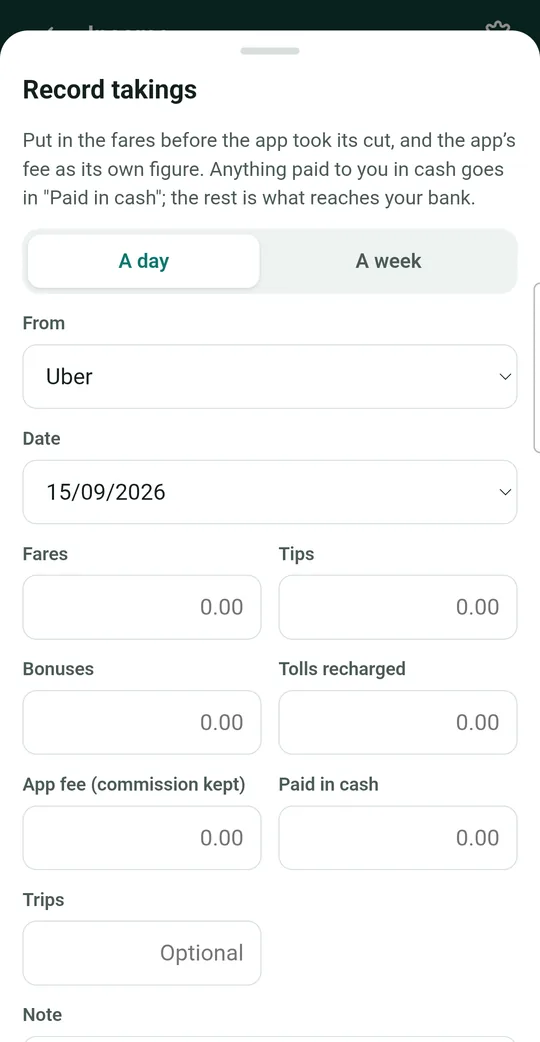
Choose a day or a week
At the top of the form, tap A day or A week. If you choose a week, the date box changes to Week ending. Pick the last day of that week.
Choose where the money came from
Tap the box under From and choose the app or company, for example Uber, Bolt or Amazon Flex. For money a customer gave you by hand, choose Cash jobs.
Not on the list? Choose Another app or company and type its name.
-
Type in the amounts
Tap each box and type the number. Leave a box empty if it doesn't apply to you.
Box What to put in it Fares The total your passengers paid, before the app took its cut. Delivery drivers see this called Delivery pay. Tips Any tips you were given. Bonuses Extra pay such as quests, boosts or promotions. Tolls recharged Tolls or charges the passenger paid back to you. App fee The commission or service fee the app kept. It's shown on your earnings statement. Paid in cash How much of the total you were paid in cash. For Cash jobs this is filled in for you. Trips Optional. How many trips or drops you did. Note Optional. Anything you want to remember. Why put in the fares before the app's cut? HMRC counts the full fare as your income, and the app's fee as a business cost. Putting in both keeps your tax right. Meter Max works out the difference for you. -
Check the totals, then save
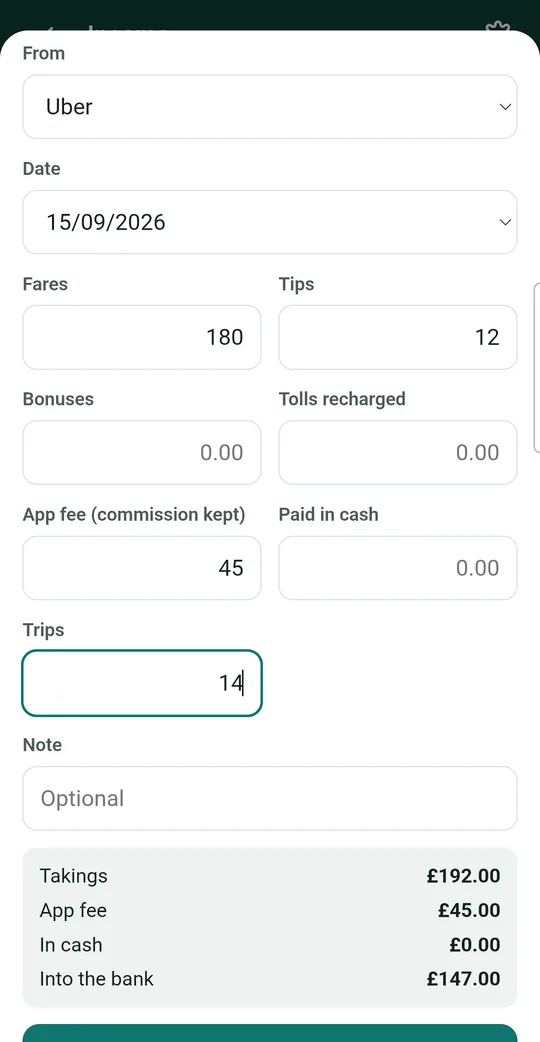
At the bottom of the form, Meter Max shows the totals as you type:
- Takings: everything you earned.
- App fee: what the app kept.
- In cash: what you were paid by hand.
- Into the bank: what should reach your bank account. Compare this with your bank statement.
If the totals look right, tap the green Record takings button.
A worked example
Sam drives for Uber. On Monday, the Uber app says passengers paid £180, Sam got £12 in tips, and Uber kept £45. Sam did 14 trips.
Sam types 180 in Fares, 12 in Tips, 45 in App fee and 14 in Trips. Meter Max shows Takings £192.00 and Into the bank £147.00, which matches what Uber paid out. Sam taps Record takings.
Check it worked
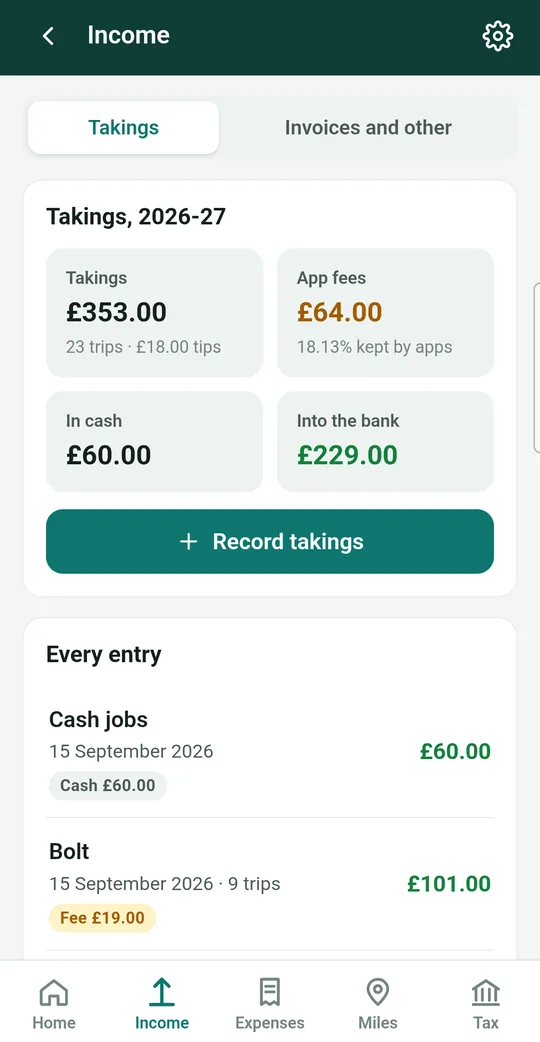
You'll see a message such as "£192.00 of takings recorded". Your entry now appears in the Every entry list on the Income screen, and the totals on the Home screen go up.
Handy tips
- Work for more than one app? Add a separate entry for each app. That way you can see which one pays best.
- Busy week? Choose A week and put the whole week in at once, straight from your weekly statement.
- Made a mistake? Tap the entry in the list, then Edit. See guide 6.
- Doing account work that you invoice for? Use invoices instead.